
Product tour
See PHI HR working before you talk to anyone
A guided walk through the real product, in order, using synthetic demo data. No form, no email address, no autoplaying video.
1. Employee onboarding
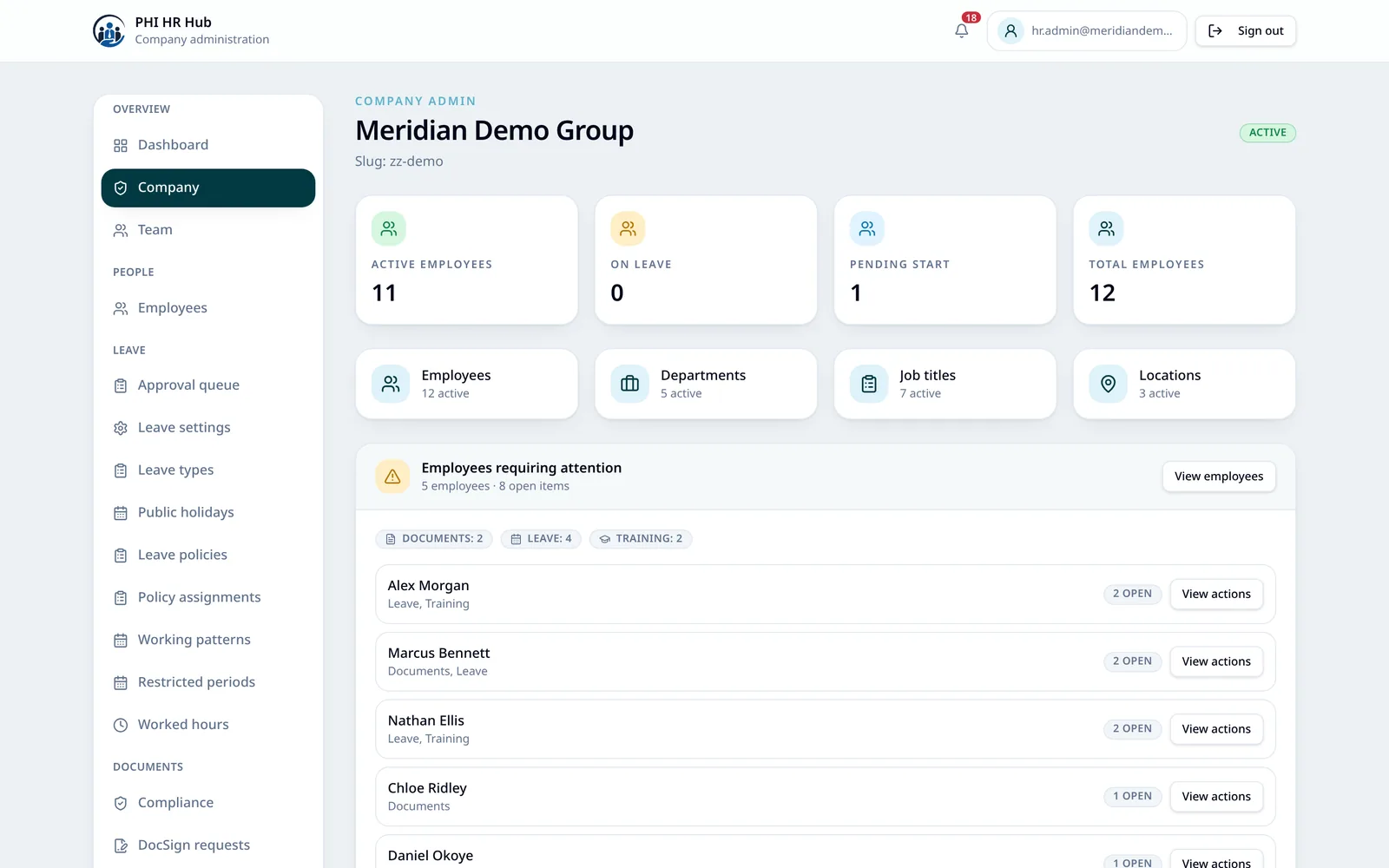
Add a new starter, invite them by email and watch their onboarding progress. The Action Centre on the HR dashboard shows headcount, pending starts, who is on leave and anything still outstanding.
2. Profile & documents
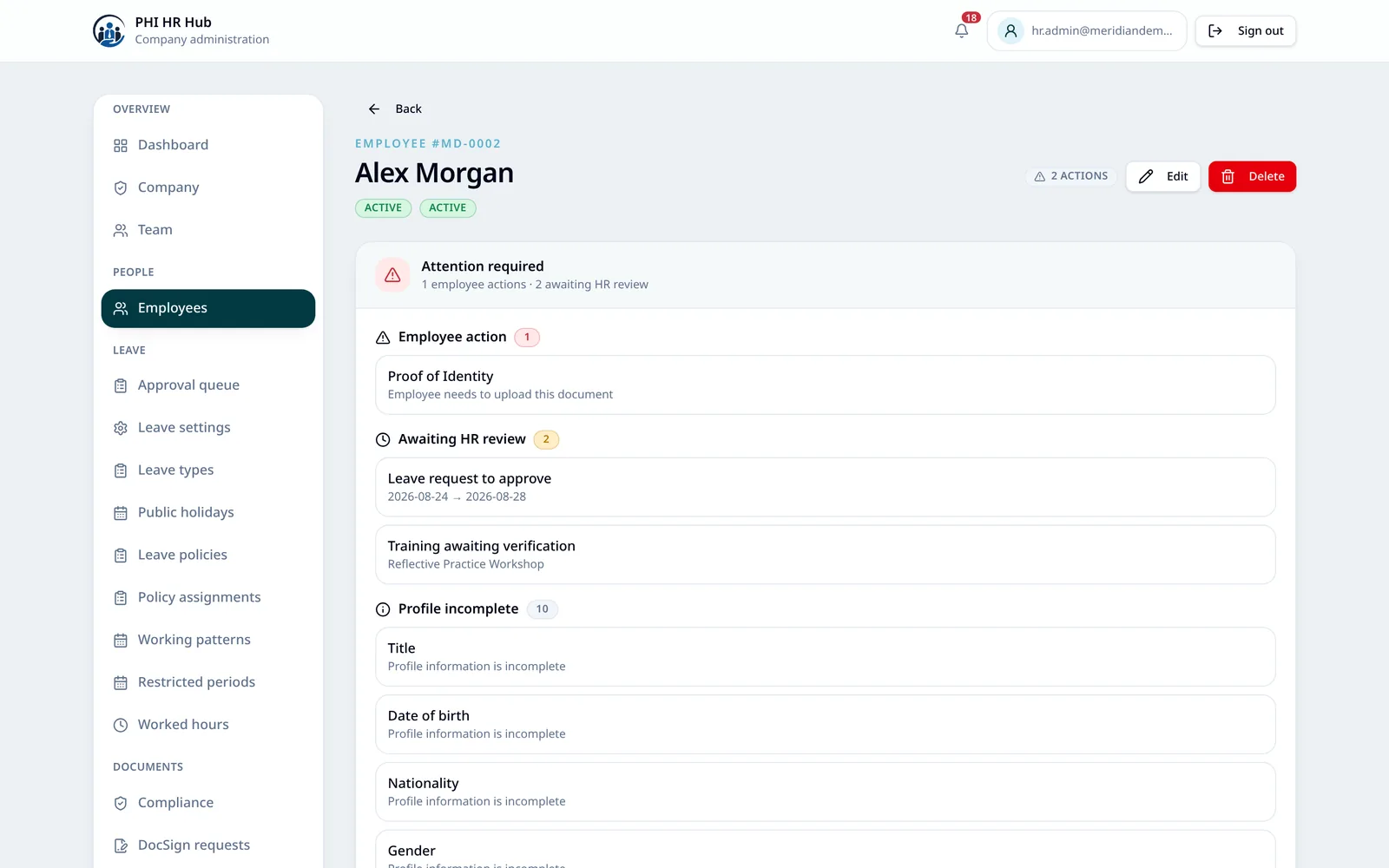
One record per employee: personal and employment details, job title, department, line manager, qualifications, training and every document uploaded against them — with sensitive fields visible only to the roles allowed to see them.
3. Leave
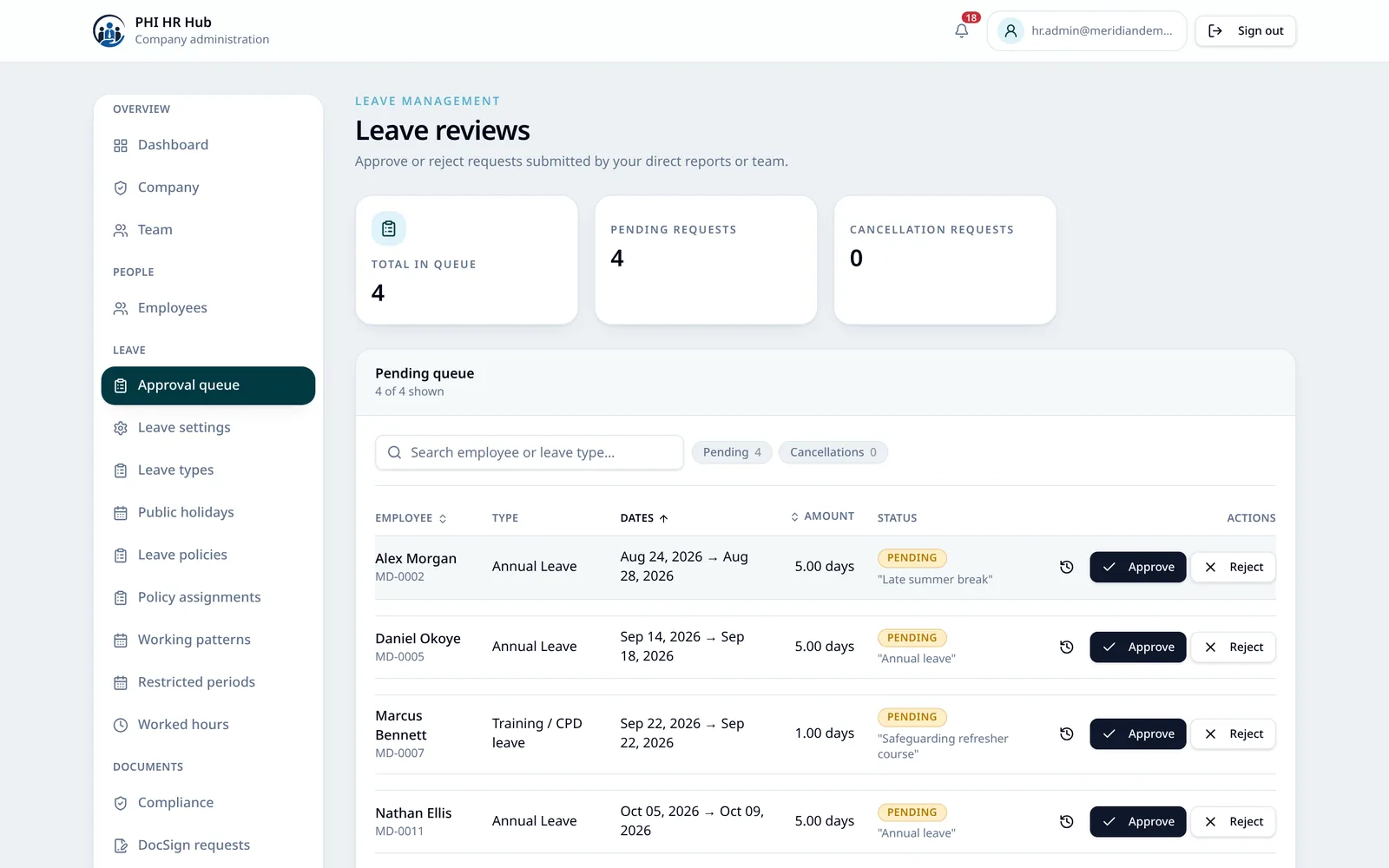
Employees request leave, managers approve or reject it in a queue, and balances and half-days update as they go. Advanced Leave adds entitlement rules, multi-week working patterns and restricted periods for busy weeks.
Advanced Leave: Professional and above
4. Compliance
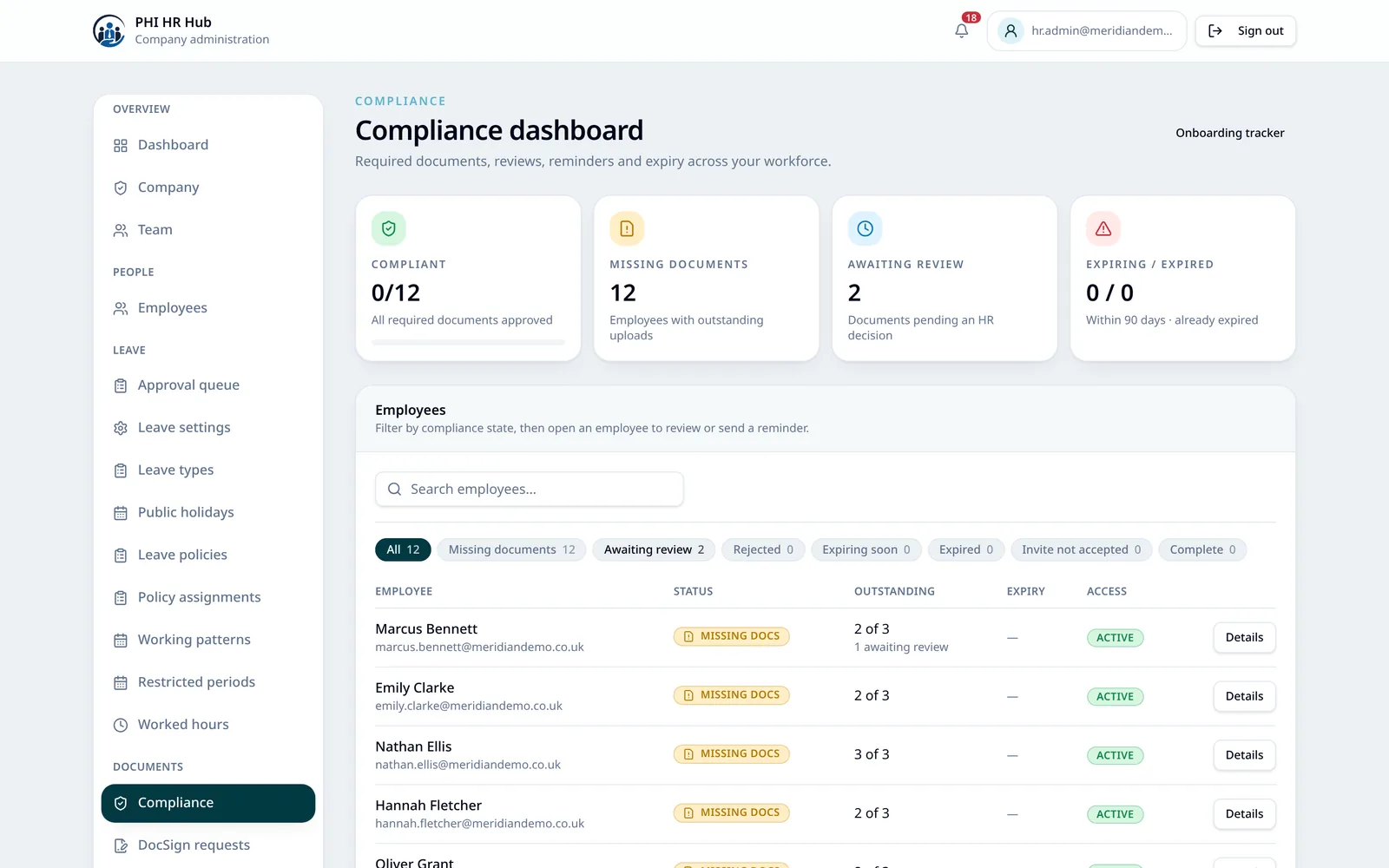
Required documents per role, review and approval, expiry monitoring and automated reminders at 42, 35, 14 and 7 days before the date. PHI HR tracks and evidences documents such as Right to Work and DBS — it does not verify them for you.
5. Contracts & e-signature
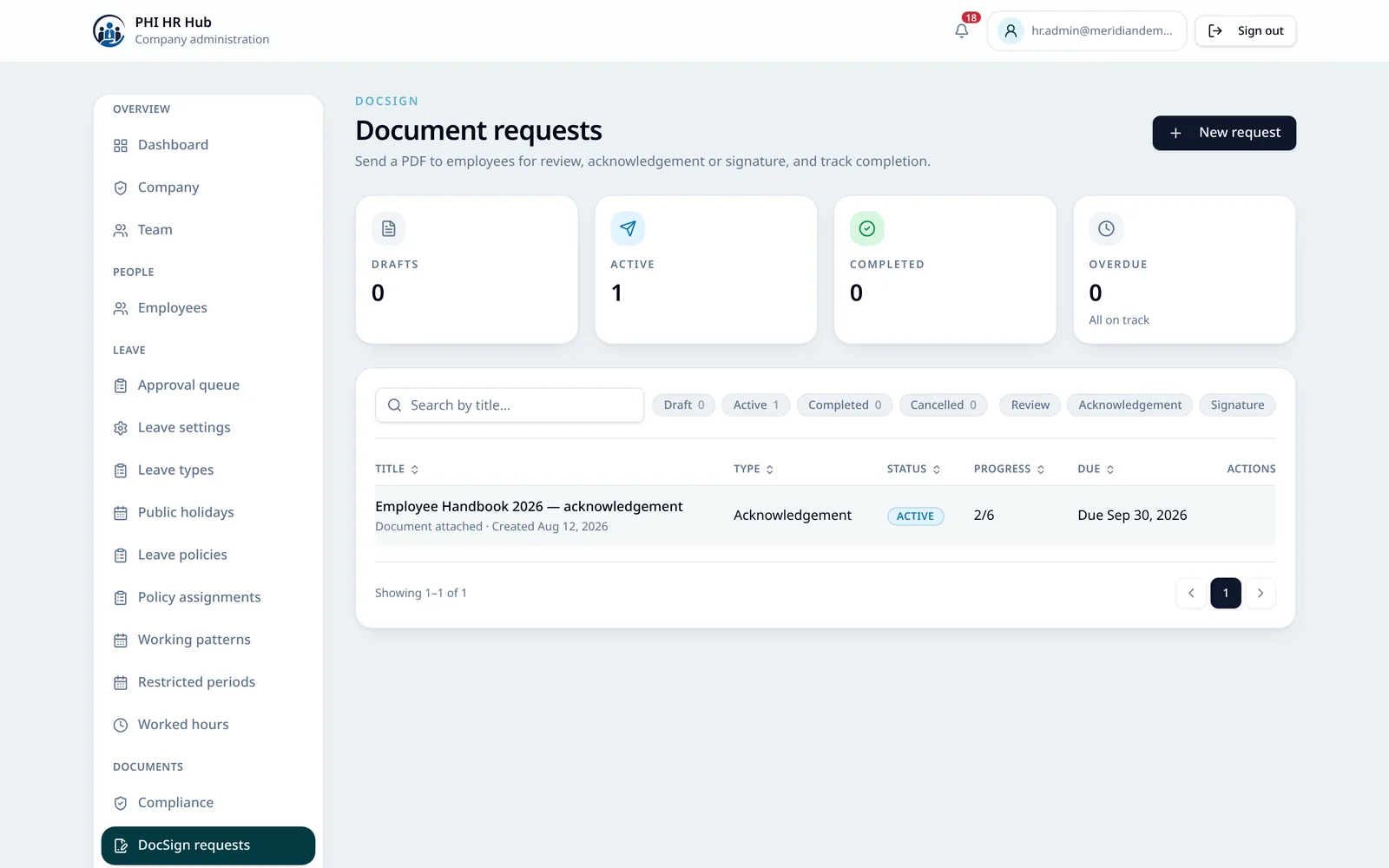
Send your PDF contract for signature, countersign it if your process needs it, and keep the completed document with its evidence. The same tool sends documents that only need reading or acknowledging.
Essential and above
6. Employee self-service
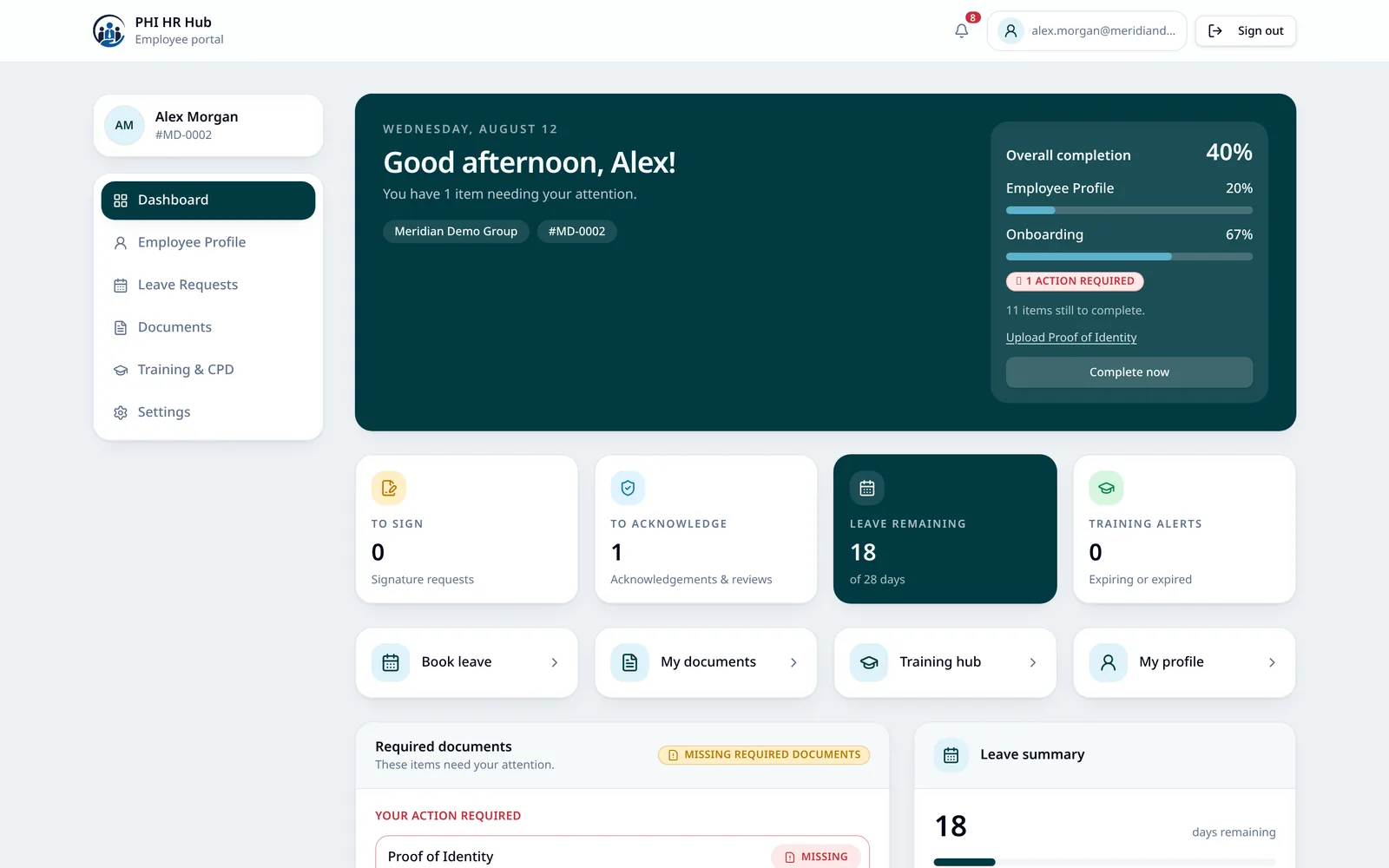
Staff keep their own record up to date, upload documents, book leave and log training and CPD from their own portal — which is what keeps the HR side accurate without chasing.
Want to see it with your own scenarios?
Book a live demo and bring your hardest case — the bank-staff entitlement, the contract variation, the compliance audit you dread. We would rather show you honestly than sell you something that does not fit.
All screenshots on this page use synthetic demo data. No real employee information is shown anywhere on this website.